
For soccer families
Every Practice, Game, and Tournament, in One Place.
Calendar Crew brings every soccer team your kids play on into one family calendar, whether the schedule comes from TeamSnap, Heja, a club website, or a flyer from the coach. Each kid has their own color, and game days come with drop-off, pick-up, and who has snacks already sorted.
Built for Soccer Weekends
Fall and spring seasons, club and rec teams, Saturday tournaments with games across three fields. Calendar Crew shows the whole weekend at a glance and flags it when two games overlap.
- Tournaments, games, and practices, each labeled
- An arrive-by time that allows for warm-ups
- Directions to the right park, in one tap
Goals and Assists, Live
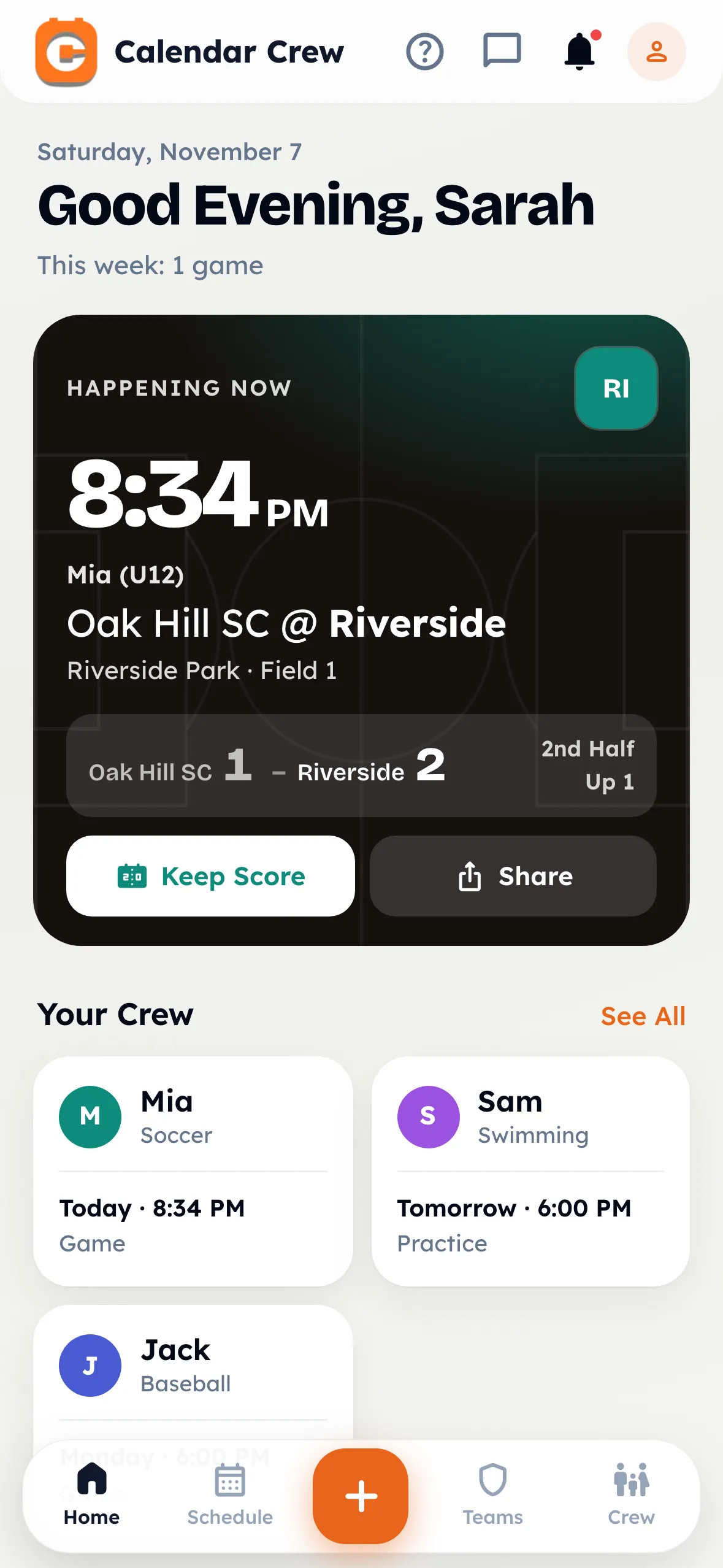
Tap Keep Score Live during the game and log goals and assists for your player as they happen. The final score and stats save to the recap, season totals add up, and grandparents following along see the score live.
Soccer
Common Questions.
Can I import my soccer club’s schedule?
Yes. Paste a link to the club or league page, add the calendar link from TeamSnap or Heja, or take a photo of the schedule. Calendar Crew shows you what it found before anything is added.
Does it handle tournaments?
Yes. Tournament games are labeled as tournaments, and a weekend with several games still reads clearly, kid by kid.
Can I track my kid’s goals?
Yes. Live scoring has Goal and Assist buttons for soccer, and your player’s stats save with each game and add up over the season.
Get Your Season on One Calendar.
Join the early-access list and we'll email you the moment a spot opens up.
Free while in early access. No credit card.