
For co-parents
One Sports Schedule for Both Homes.
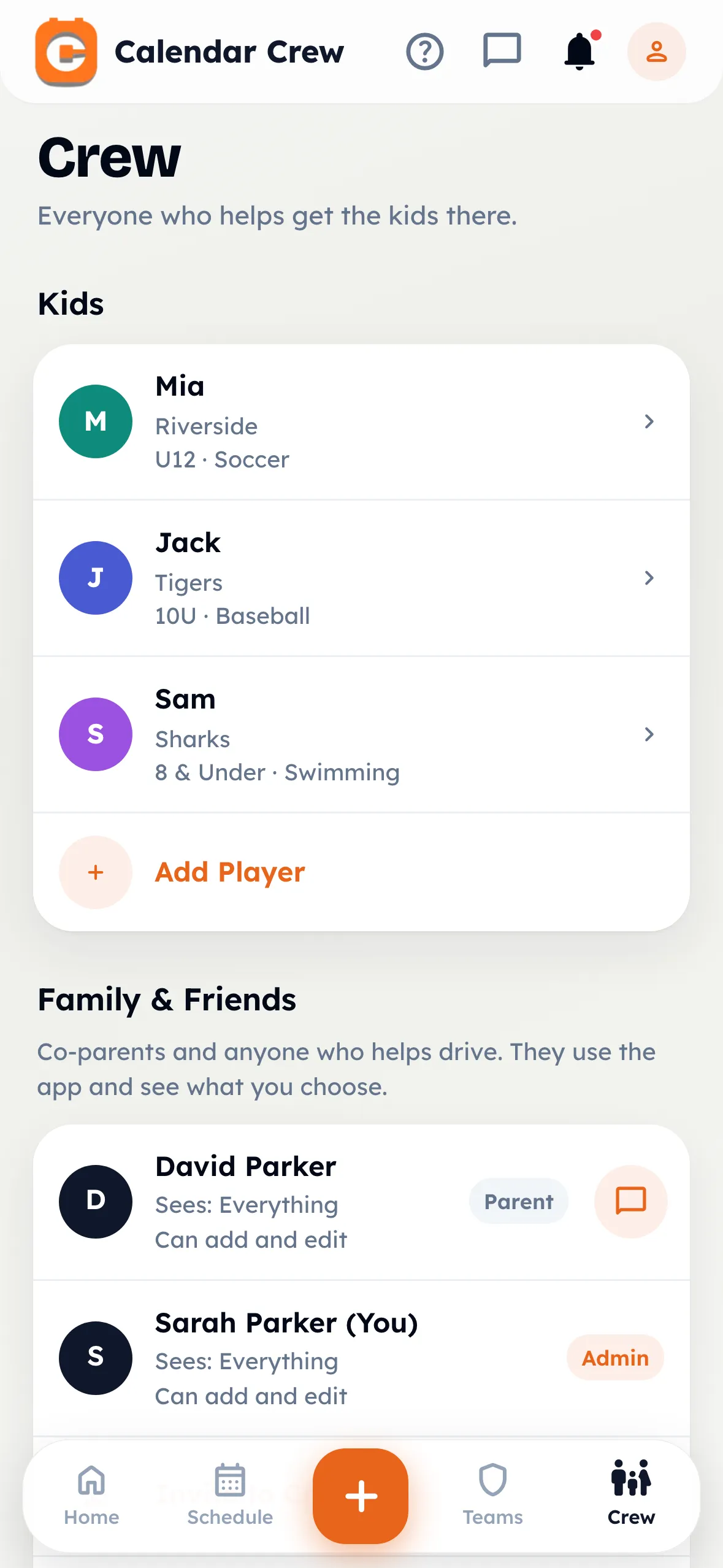
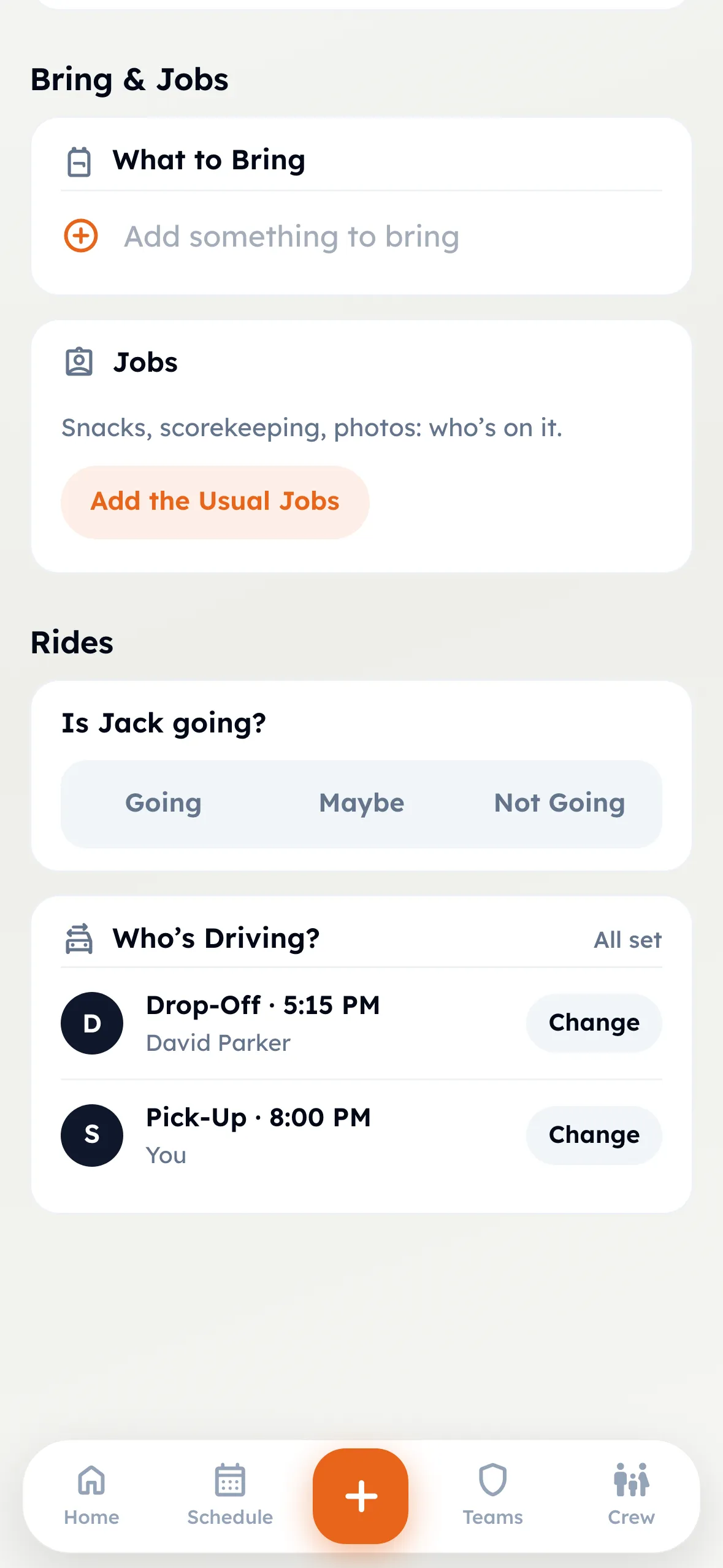
Calendar Crew gives co-parents one shared calendar for the kids' sports, so a time change made in one home reaches the other right away. Both parents can see every kid and add and edit events, every game has a drop-off and a pick-up to claim, and questions about a game stay on that game instead of in a text thread. It works the same whether you share a home or not.
How It Works
- 1
Add the Kids
Each kid gets their own color, with their teams and sports.
- 2
Bring In Every Schedule
Snap a flyer, paste a link, or connect TeamSnap or Google.
- 3
Invite Your Co-Parent
They see every kid and can add and edit events, just like you.
Both Homes, Same Page
When the coach emails one parent, the other usually hears about it second. With one shared calendar, a change either of you makes shows up for both, and nobody has to forward anything.
- Both parents see every kid and can add and edit events
- Who's Driving: claim the drop-off or the pick-up in a tap, and the other parent sees who has it
- An evening heads-up about tomorrow, including drives that still need a driver
- Questions about a game live on that game, not in a text thread
- Each of you can add a private, live feed of the schedule to your own Apple or Google Calendar
Bring In the People Who Help
Step-parents, grandparents, and sitters can join your crew and see only the kids they help with. Grandparents who just want the games can follow a private link, with no app or account. One plan covers everyone in your crew, with no charge per person.
Co-Parents
Common Questions.
Can both parents edit the schedule?
Yes. Invite your co-parent to your crew and they see every kid and can add and edit events, just like you. A change either of you makes shows up for both.
Do we each need our own plan?
No. A plan belongs to the family, and everyone you invite to your crew is covered, with no charge per person. The free plan covers up to six people in your crew.
Can we each see it in our own calendar app?
Yes. Each of you can add a private, live feed of the kids’ schedule to Apple Calendar or Google Calendar, and it keeps updating on its own.
Is it only for parents who live apart?
No. A co-parent is anyone raising the kids with you, in one home or two: a partner, a spouse, an ex, or a step-parent. Calendar Crew works the same for all of them.
Who else can see the schedule?
Only the people you invite to your crew, and anyone you send a follower link to. Helpers can be limited to the kids you choose, and nothing is posted to a public team feed.
Get Your Season on One Calendar.
Join the early-access list and we'll email you the moment a spot opens up.
Free while in early access. No credit card.